Export Your Saved Columns In Facebook Ads Manager
Are you still adjusting all the columns in Facebook Ads Manager? There is a simple way to Export Your Saved Columns in Facebook Ads Manager.
Read more →
Book a free audit call and we will tell you which lever moves your numbers first.
Book a free auditIf you marketing in the Global Market, then you have to reach the right audience with the right language so that they can understand easily and can convert from your ads.
Facebook has a Feature for Ads Automatic Translation. But there is a thing in this, you can’t have automatic translations in all the placements.
Here is the list of Placement where you can use automatic translations
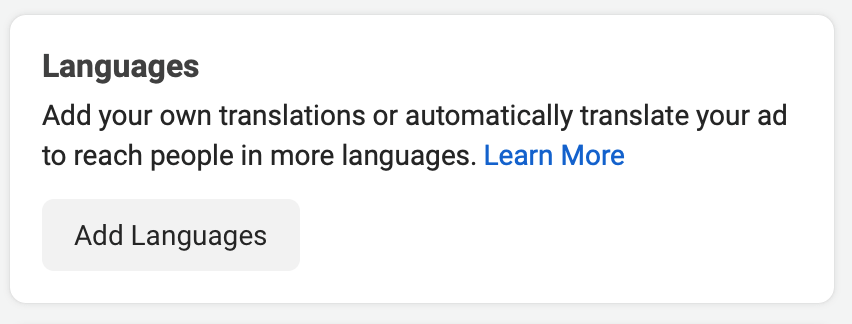
When you create a Ad copy there you might have seen this option.
Click in the “Add Languages” when creating your ad.
After that you have set the Default Language.
In Added Language, you have to set all the languages you want to show to your audience.
But Remember not every Language can be Translated Automatically. There are few languages for which you can do it, You can Check Facebook for Languages that support automatic translations
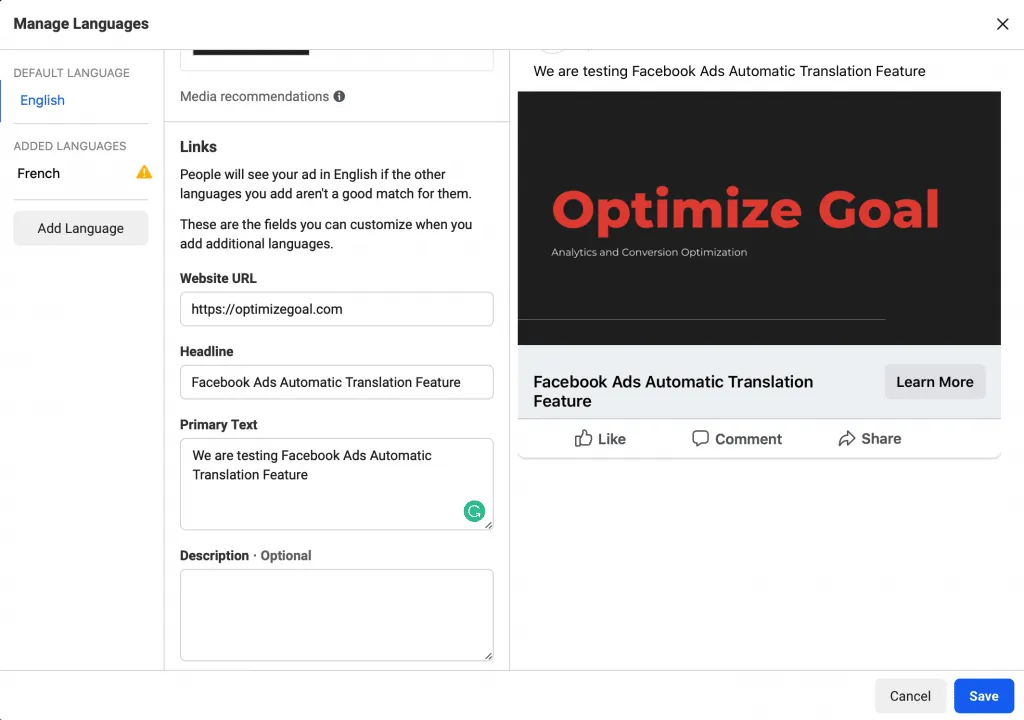
After Choosing the Added Languages you have to click on the Automatic Translation.
In the Below Image, you can see the Text has been converted in the French Language.
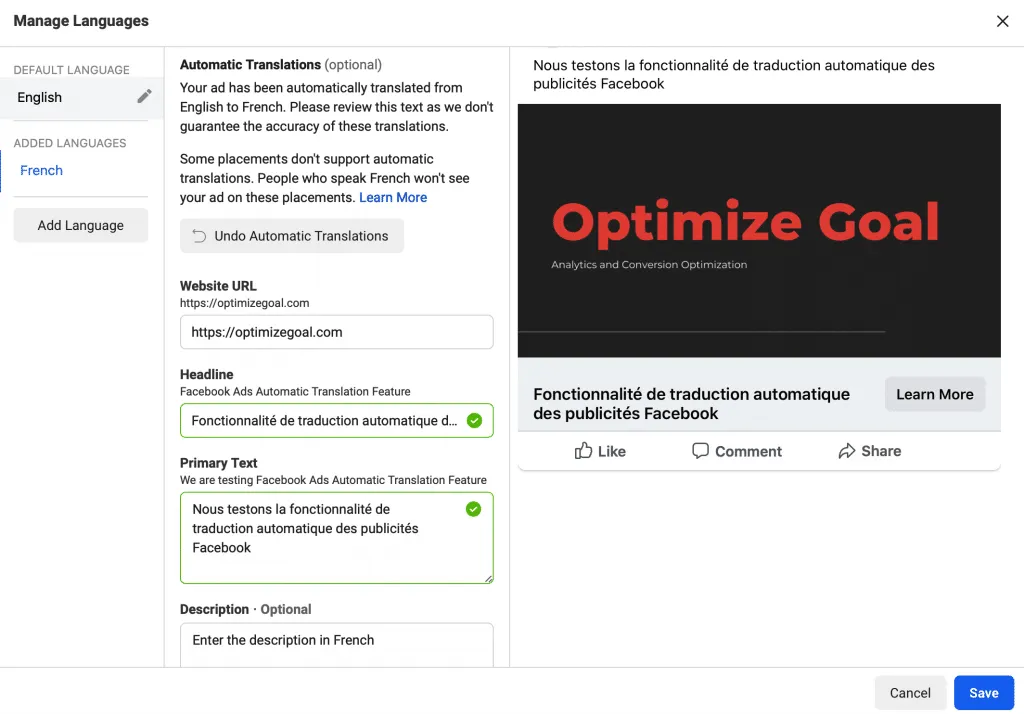
When you’re done with ad copy and translation, click “Save.”
Let’s take an example to understand this feature better
Let’s say you have created a campaign for shopping in the English language and you have used Facebook Automatic Translation Feature to convert English text to the French text.
Also Read: How to Create a Messenger Greeting for Your Facebook Page
All those Placements which support automatic translations your ads will be shown in their native language.
But what about the placement that doesn’t support Automatic Translation Feature. For that, you have to manually enter the text for that language.
Your main focus was to get more attention from the audiences in their native language. Your target audience will see your ads and react to it through comments.
Facebook Provide Translation what audience has written, and you can easily understand their query and you can reply back to their Native Language.

That can be a challenging task as you are not that much comfortable in that language. So, there are a lot of tools that you can use like Google Translate.
I will recommend after doing automatic translation review all translated text once. This feature is Worth Trying.
Let us know your thoughts about this feature through comments!
We set up tracking, run the ads and fix the funnel for D2C brands — so guides like this one become someone else's job.
Are you still adjusting all the columns in Facebook Ads Manager? There is a simple way to Export Your Saved Columns in Facebook Ads Manager.
Read more →
Are you confused about Facebook broad targeting? Then you should test facebook broad targeting for your brand, we have seen positive results for a few brands.
Read more →
This tutorial will learn how to implement Facebook Conversion API for Shopify Store using Native App.
Read more →