In this post, we will see how you can change Attribution Model of your conversions in Google Ads. By Default, Google Ads use the last-click attribution model. Many of us don’t change the last-click attribution model in google ads.
Impact On Conversions Of Attribution Model
Let’s look at the example: Suppose you are running ads for a marketing agency service. Some people have searched for ‘Digital marketing service’ and click on your ad. Later the same user has searched for ‘digital marketing facebook marketing service’, landed on the same page and filled the forms.
The Attribution model you are using will decide which campaign will receive the Credit for filling the form. If you are using the last-click attribution model, then the Credit will go to ‘digital marketing facebook marketing service‘. If you are using the time delay attribution model then both keywords will get some Credit.
Last click: Gives all credit to the last-clicked ad and corresponding keyword.
First click: Gives all credit to the first-clicked ad and corresponding keyword.
Time decay: Gives more credit to ad that interacted closer in time to the conversion.
Position-based: Gives 40% of the credit to both the first and last ad interactions and corresponding keywords, and the remaining 20% will give to other ad interactions on the path.
Data-driven: Distributes credit based on your past data for this conversion action. It will choose theright attribution model for your business and give you the best results.
Steps To Change Attribution Model in Google Ads
Step 1: Login to Google ads account. (Must have admin/full access)
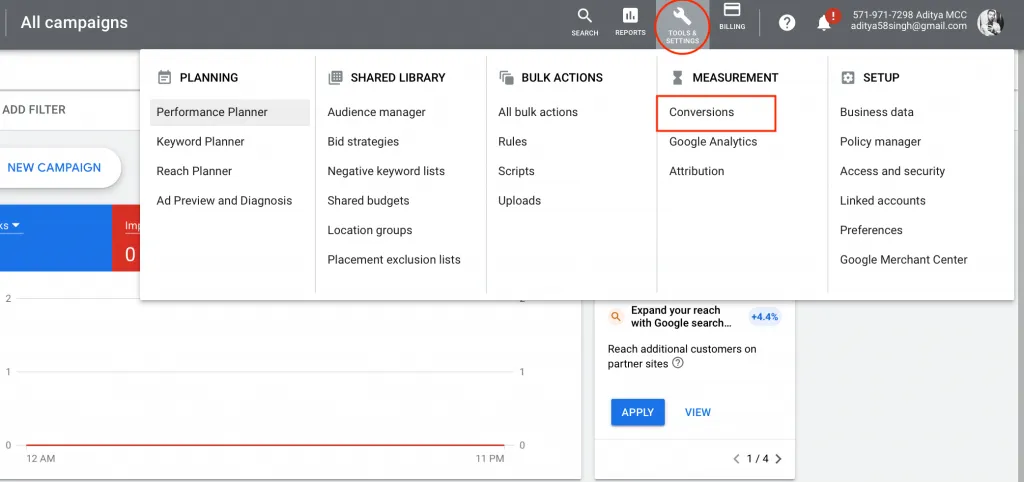
Step 2: Click on the Tools tab then click on Conversions under Measurement section.
Google Ads > Tools & Setting > Conversions
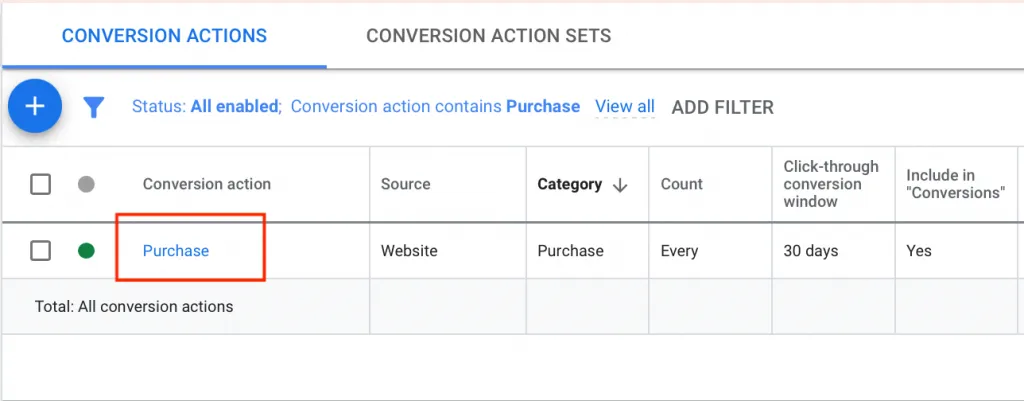
Step 3: Click on the conversion name for which you want to change attribution model.
Click on the conversion name
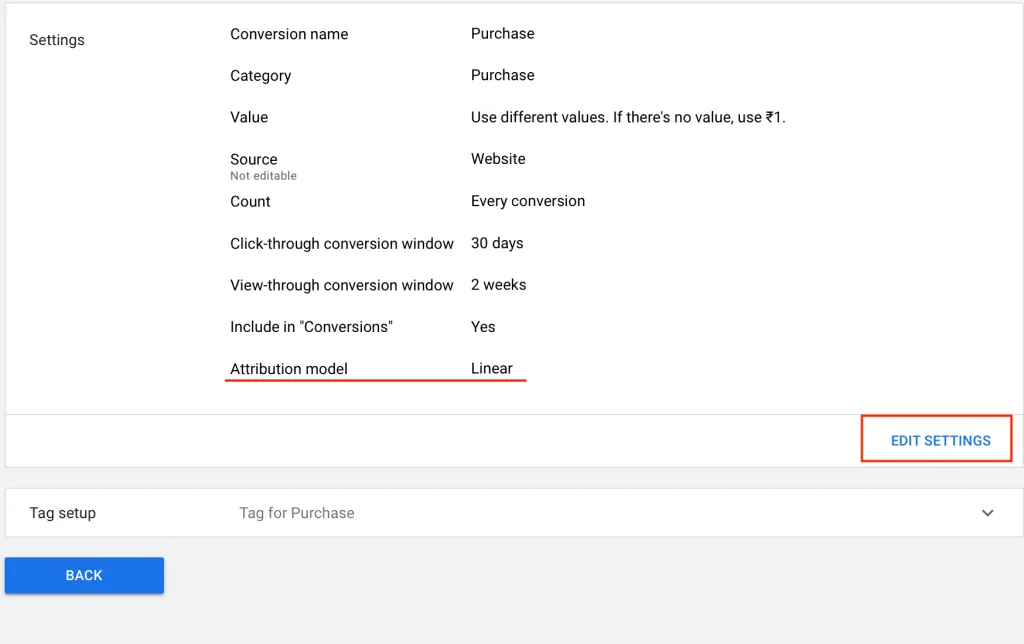
Now, you will see the attribution model currently used in the conversion
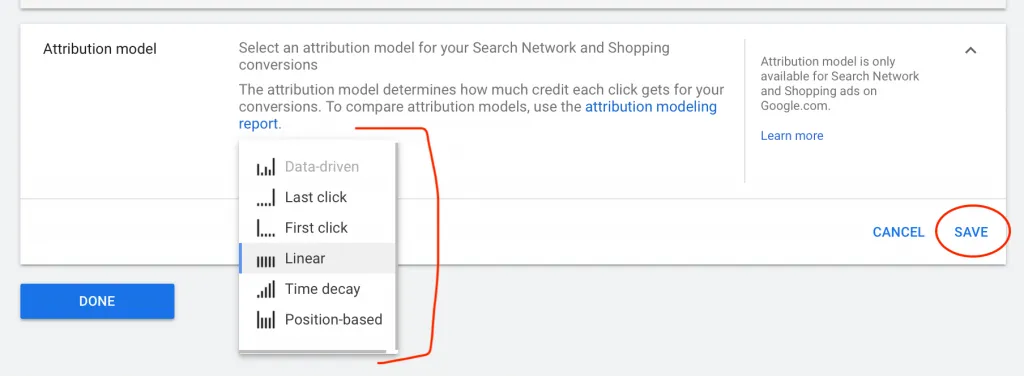
Step 4: Click on the Edit Button and from the drop down you can select the Attribution model which you want to use
Click on the Edit SettingsSelect the Attribution model you want.
Step 5: Then click on the save button then click on Done.
You have successfully changed the attribution model. If you have any questions let me know through comment section.
Looking for a comprehensive Google Ads checklist to help you optimize your campaigns and increase conversions? Look no further! Our Google Ads checklist covers everything from keyword research and ad copywriting to targeting and budget management. Follow our step-by-step guide to ensure your Google Ads campaigns are set up for success and driving maximum results. Don't miss out on valuable leads and sales – start using our Google Ads checklist today!"
If you are new and don't know how to connect your merchant centre with your Google Ads Account, don't worry we will cover everything in this post. It will
Are you running Google Ads or Facebook Ads for your eCommerce Store? If yes, then you might be only focusing on the conversion, rather than Profit you are