Export Your Saved Columns In Facebook Ads Manager
Are you still adjusting all the columns in Facebook Ads Manager? There is a simple way to Export Your Saved Columns in Facebook Ads Manager.
Read more →
Book a free audit call and we will tell you which lever moves your numbers first.
Book a free auditIf you are planning to create an event on Facebook then it is important sometime to engage with the audience who has shown interest in the event. One way to interact with the audience is through Facebook ads.
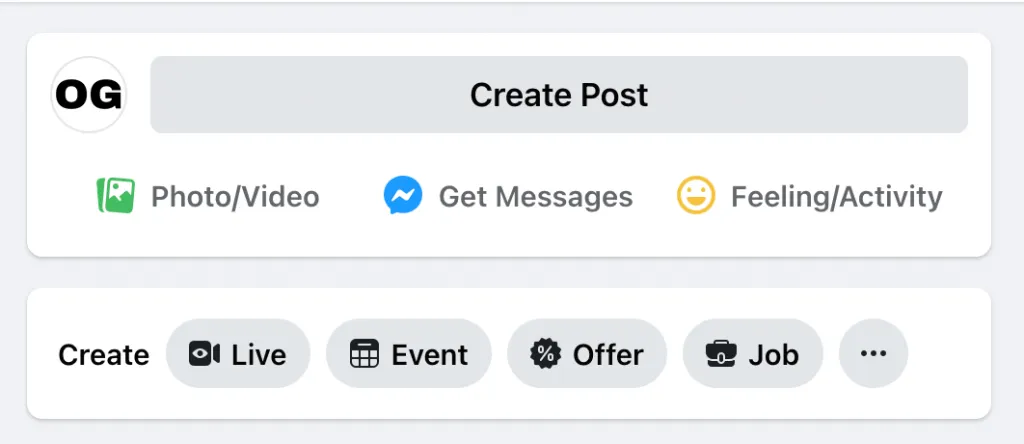
First, you have to create an event from your Facebook page.
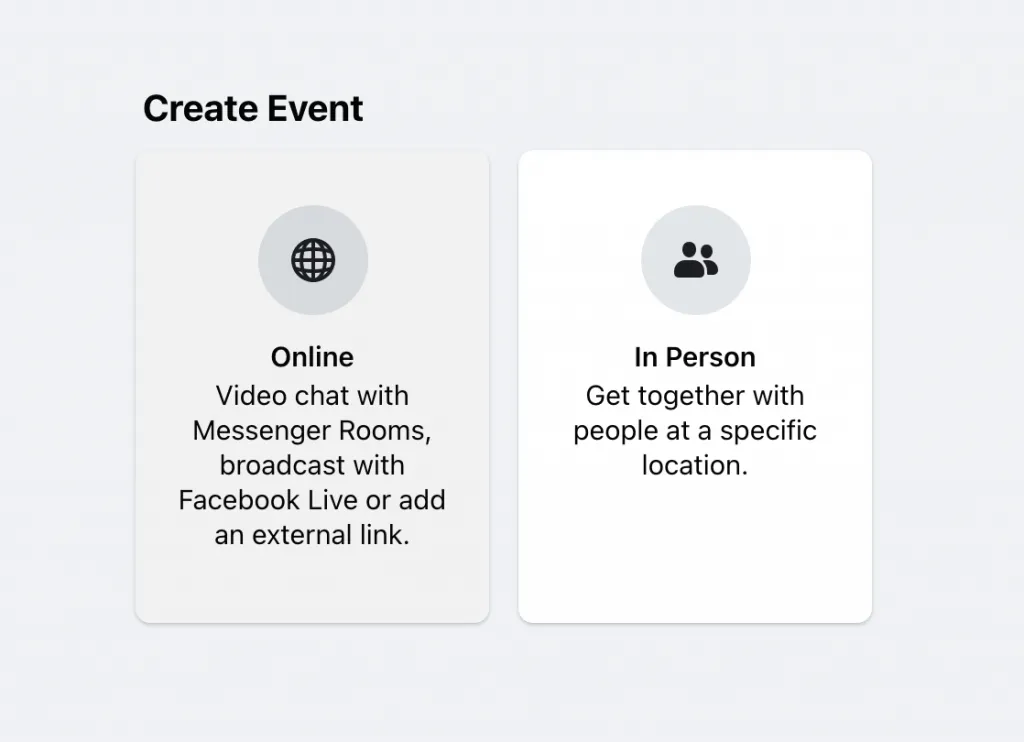
Then, you can choose the option according to your requirement either it will be online or in person.
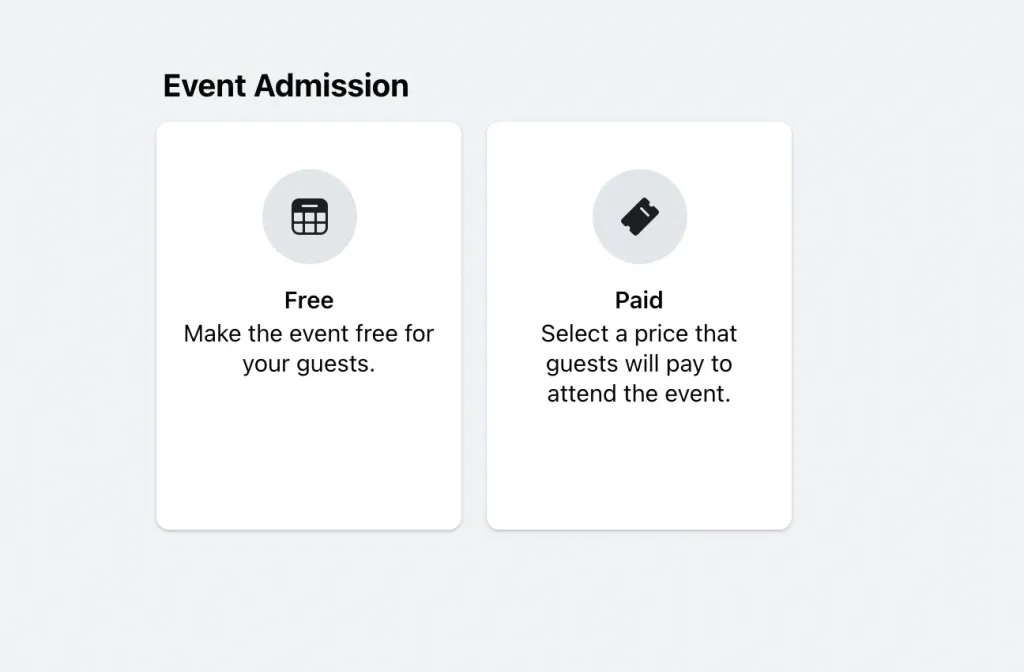
Event you are making can be Free or Paid.
Now you have to fill the details and descriptions about the event to complete the process.
When the audience will see your event, they can choose an option from the list whether they are Interested, Going or Not Interested.
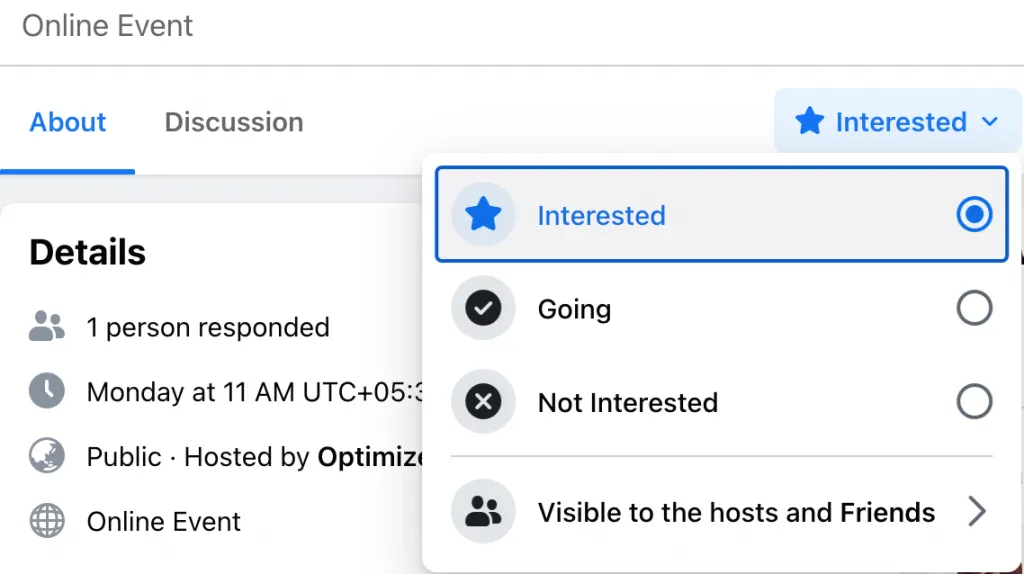
Based on these three things, you will have to create Facebook Event Custom Audience.
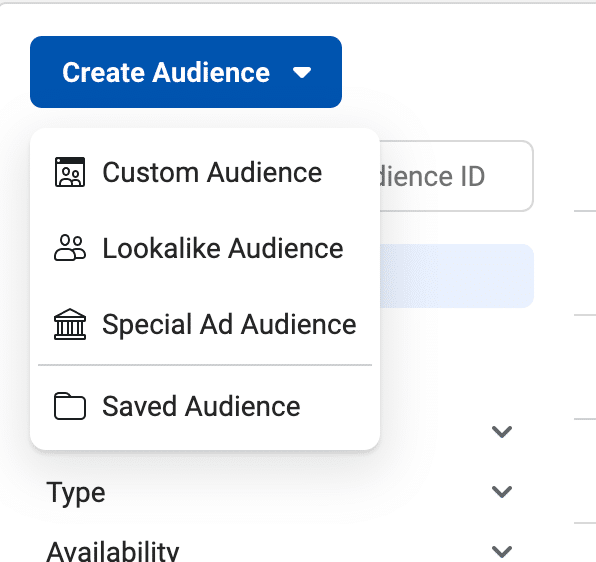
First, go to your Facebook Audience, Select “Create Audience” and then “Custom Audience.“
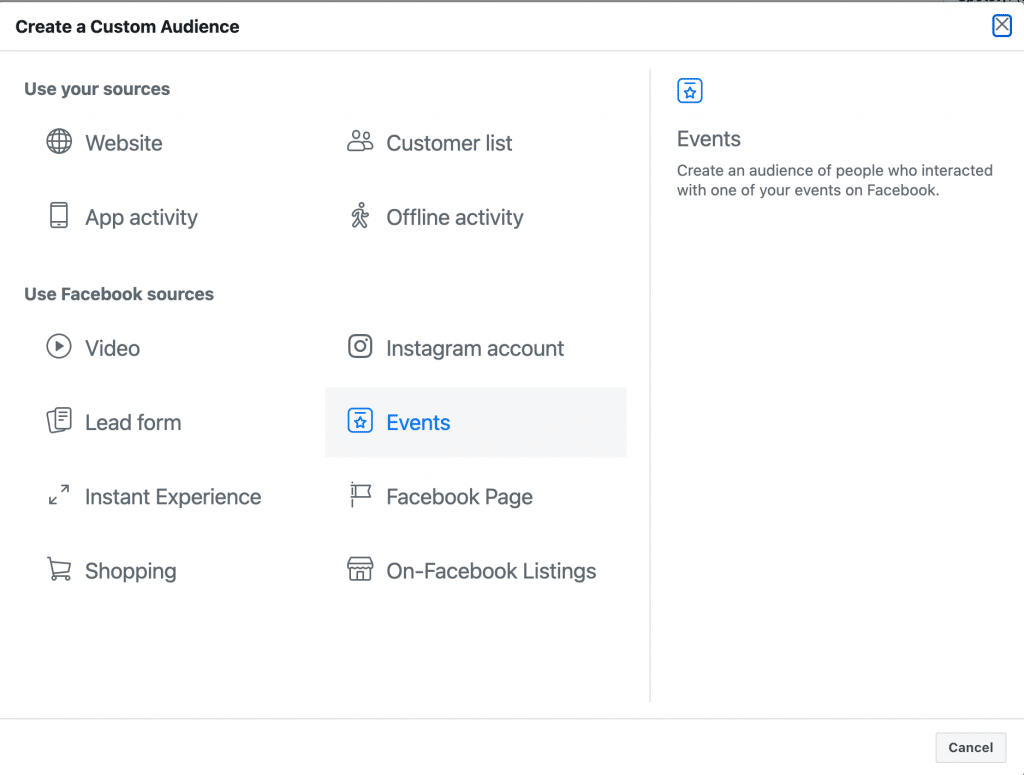
From Create a Custom Audience select “Events” option
Now, Select your Page and Event you have created. You can select the Past event also and create an audience for that also.
If you want to select a particular segment from the event then you have to click on “include more people.” Then you can see more options.
Options include:
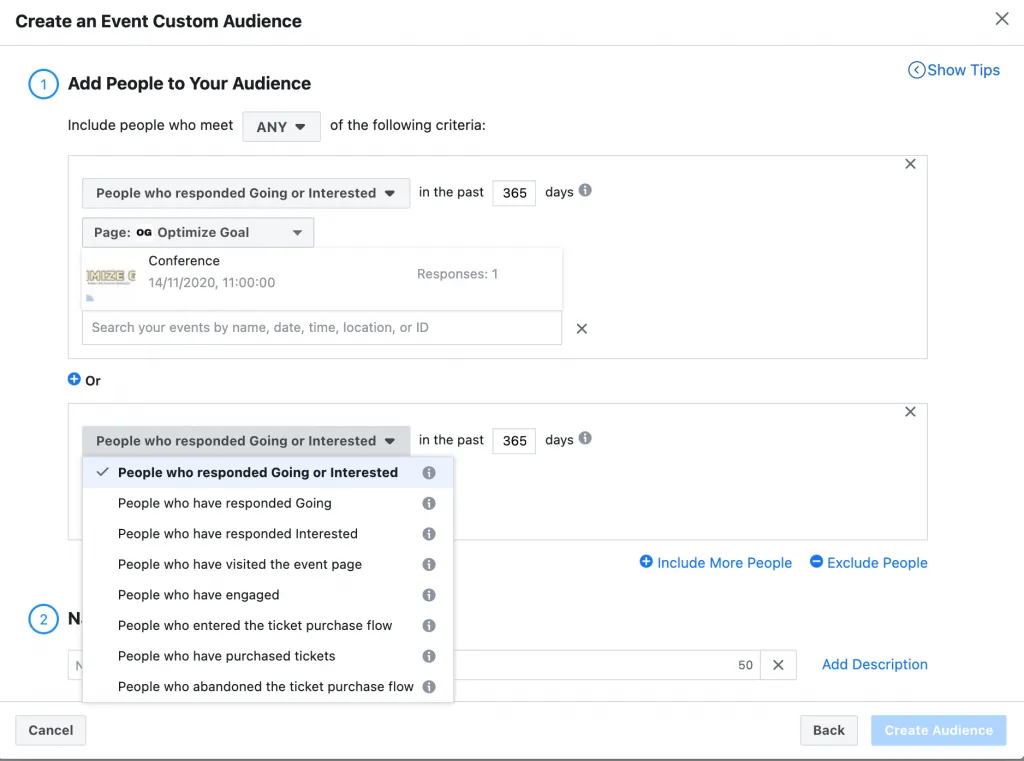
You can use anything between 1 to 365 Days Audiences.
Once you have created an audience you can use these audiences in your ads to retarget the audience who has engaged with the event.
Let’s see how you can use these custom audience for your ads
1. You can remind the audience who has chosen Interested or Going to that event.
2. Encourage the audience to change the decision from Interested to Going
3. Encourage audience who has abandoned ticket flow.
4. Show other events to the audience who has already purchased the ticket.
5. Show events to the people who have engaged with the event but haven’t filled the event.
6. Audience who has shown interest in the past events.
How you are going to use Facebook Event Custom Audience? Let us know through comments!!
We set up tracking, run the ads and fix the funnel for D2C brands — so guides like this one become someone else's job.
Are you still adjusting all the columns in Facebook Ads Manager? There is a simple way to Export Your Saved Columns in Facebook Ads Manager.
Read more →
Are you confused about Facebook broad targeting? Then you should test facebook broad targeting for your brand, we have seen positive results for a few brands.
Read more →
This tutorial will learn how to implement Facebook Conversion API for Shopify Store using Native App.
Read more →