Export Your Saved Columns In Facebook Ads Manager
Are you still adjusting all the columns in Facebook Ads Manager? There is a simple way to Export Your Saved Columns in Facebook Ads Manager.
Read more →
Book a free audit call and we will tell you which lever moves your numbers first.
Book a free auditHow you will be getting Facebook ad credit ?
There are two ways through which you can get Facebook ad credit.
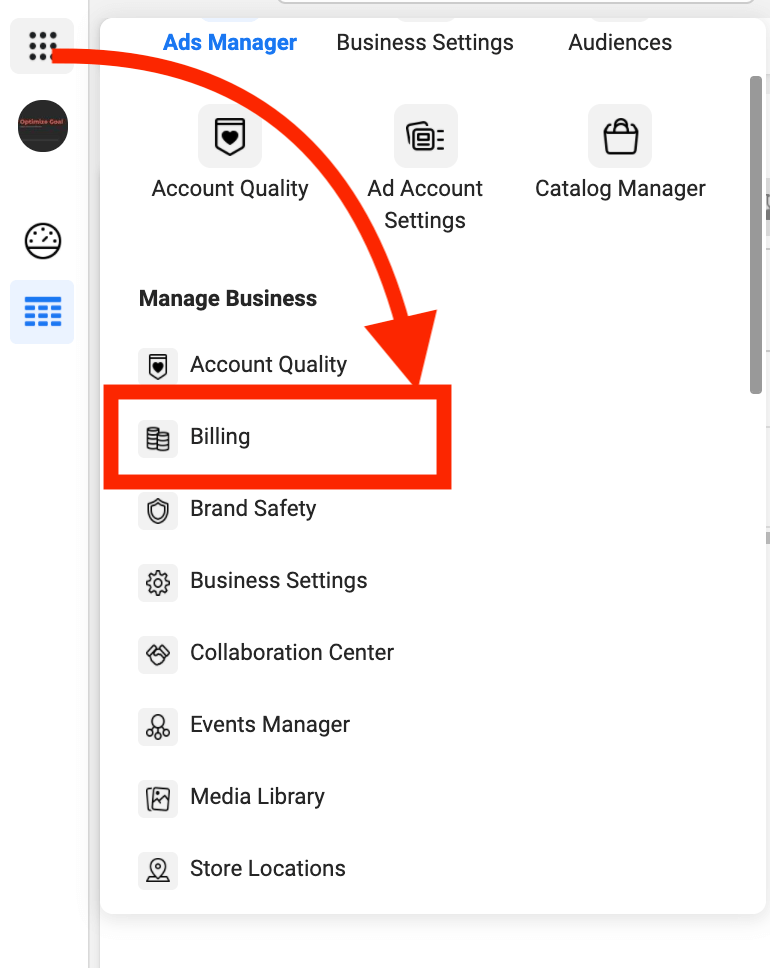
1. In Business Manager, Go to the main menu and select “Billing“.
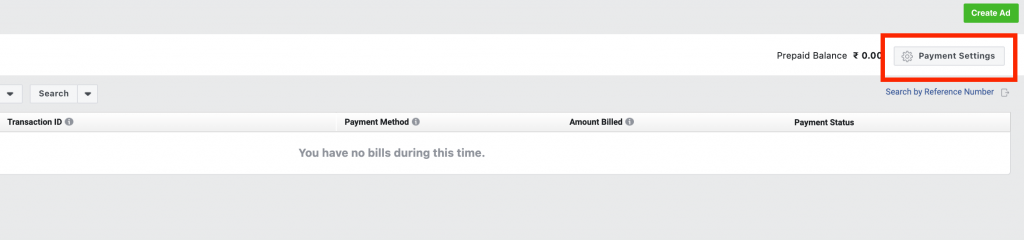
2. Click on “Payment Settings” at the top right hand corner
3. Click on “Add a Payment Method”
4. Select Ad Credit Option in Payment Method
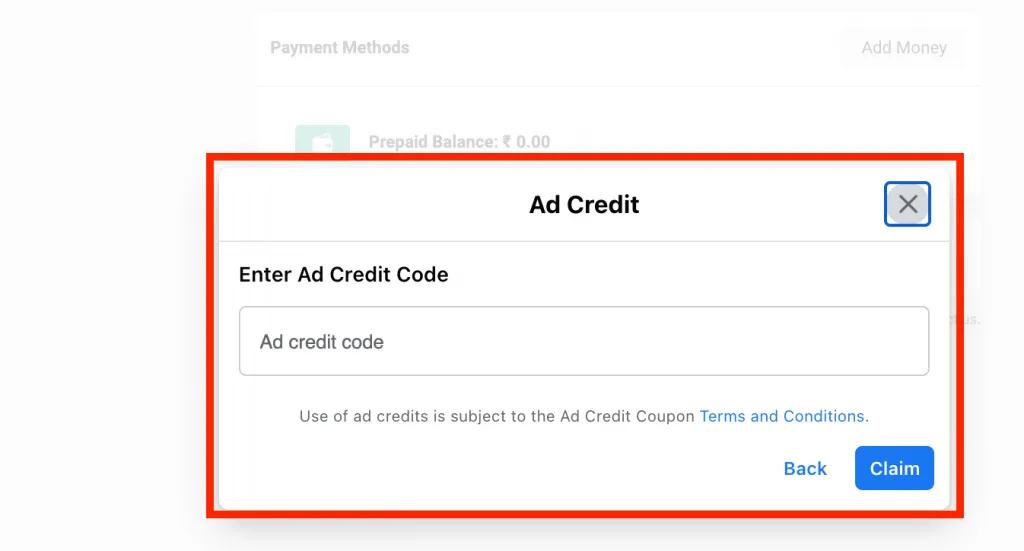
5. Enter the 16 digit Coupon code and press the Claim Button.
That’s it! You have successfully claimed the Facebook Ads Coupon.
We set up tracking, run the ads and fix the funnel for D2C brands — so guides like this one become someone else's job.
Are you still adjusting all the columns in Facebook Ads Manager? There is a simple way to Export Your Saved Columns in Facebook Ads Manager.
Read more →
Are you confused about Facebook broad targeting? Then you should test facebook broad targeting for your brand, we have seen positive results for a few brands.
Read more →
This tutorial will learn how to implement Facebook Conversion API for Shopify Store using Native App.
Read more →