
Implement Youtube Video Tracking Via Google Tag Manager
In this, we will be covering how to implement youtube video tracking via Google tag manager using the build-in Variable.
Read more →
Book a free audit call and we will tell you which lever moves your numbers first.
Book a free auditSometimes you have to remove all changes in the Google Tag Manager which you have made.
Removing one by one tag is time-consuming and difficult. Here is the quick solution you to remove all the Pending Changes in GTM by deleting the workspace.
If you delete the default workspace, Google Tag Manager will revert back to the lastest live version of a workspace and remove all the pending changes in the workspace.
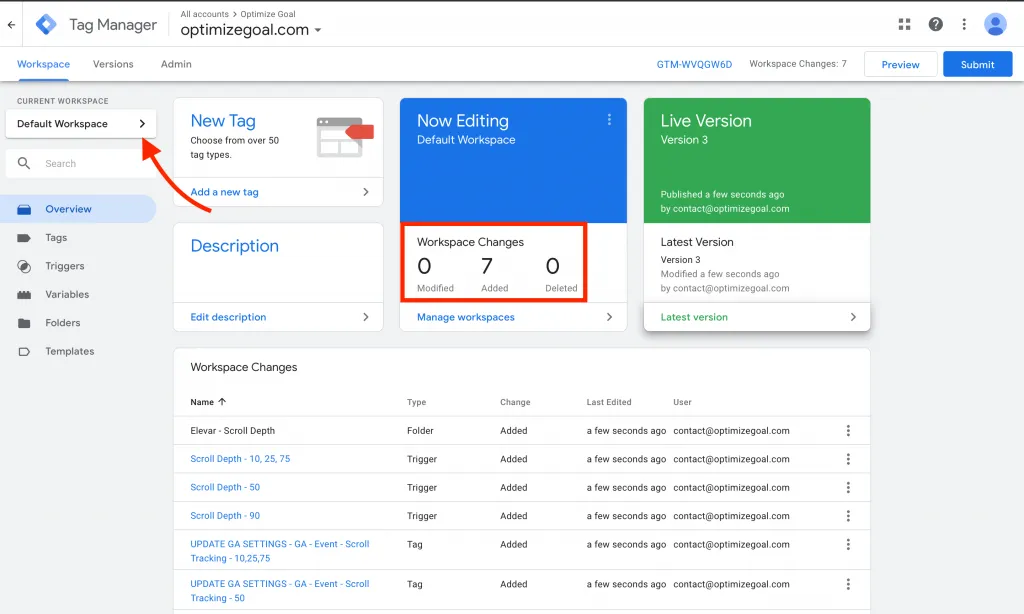
Step 1: Open Google Tag Manager and click on the workspace tap. Then you have to click on the Current workspace.
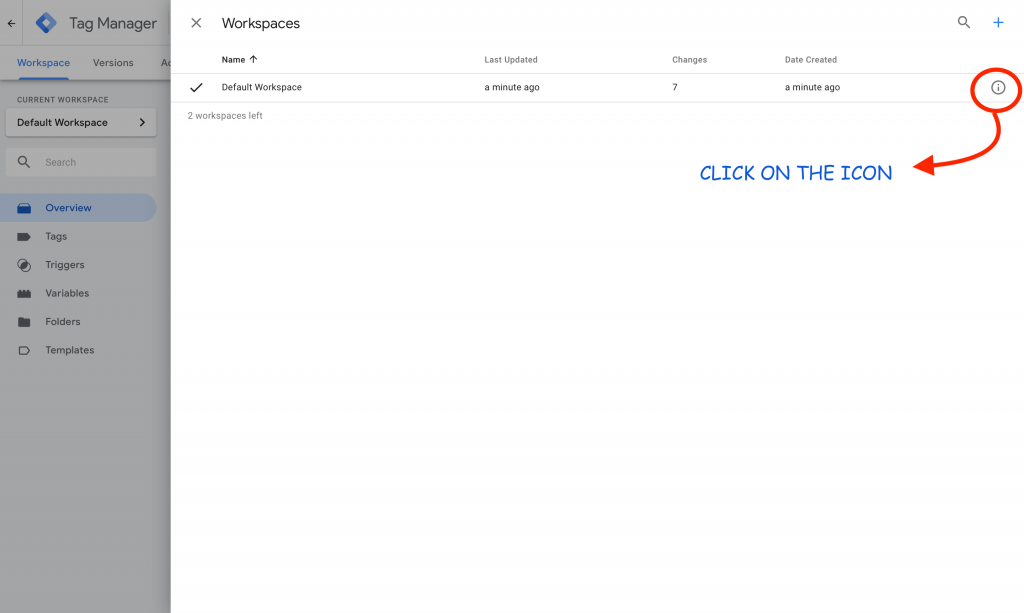
Step 2: Now you will see the workspaces sheet will open and select the workspace you are working on. You have to click on the tooltip symbol.
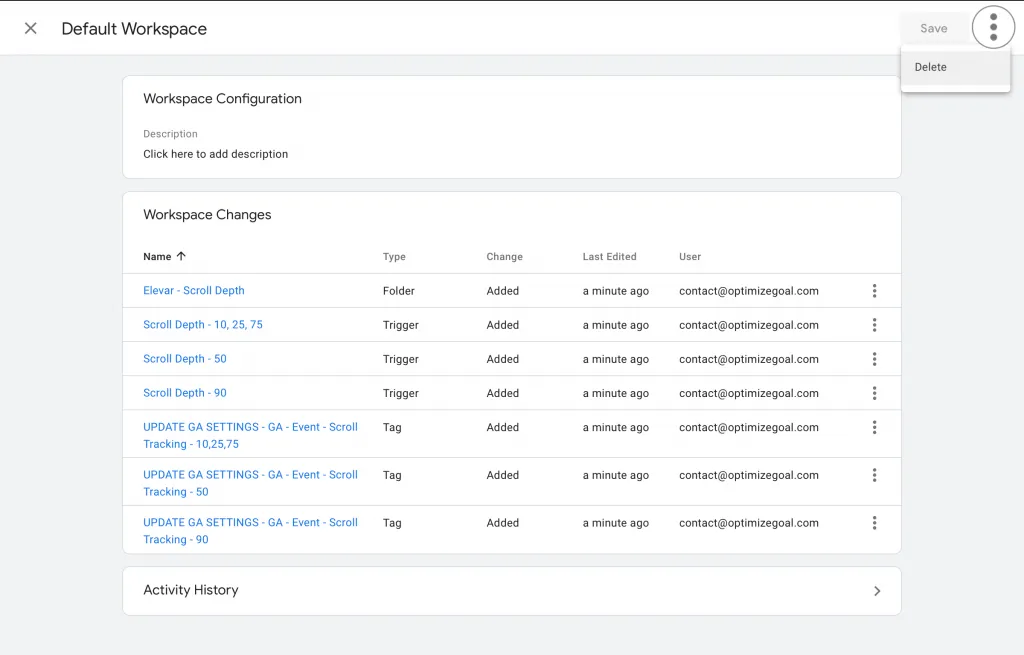
Step 3: Next, It will show you all the workspace changes you have done in Google Tag Manager.
On the Right-Hand corner, you will find 3 dots, click on the button and press the delete button, press the confirm button.
You have successfully Remove All Changes in Google Tag Manager within a minute.
We set up tracking, run the ads and fix the funnel for D2C brands — so guides like this one become someone else's job.
In this, we will be covering how to implement youtube video tracking via Google tag manager using the build-in Variable.
Read more →
Google has released a new feature "Bulk Actions" in Google Tag Manager. This feature has made a lot of things easier in Google Tag Manager for developers and
Read more →
Before you start implementing cross-domain Google Ads conversion there are few things you need:
Read more →