Bulk Actions In Google Tag Manager
Google has released a new feature "Bulk Actions" in Google Tag Manager. This feature has made a lot of things easier in Google Tag Manager for developers and
Read more →
Book a free audit call and I will tell you which fix moves your numbers first.
Book a free auditIn this, we will be covering how to implement youtube video tracking via Google tag manager using the build-in Variable.
Native GTM only offer to track youtube video for now, but if you know the javascript then you can track other platform videos as well.
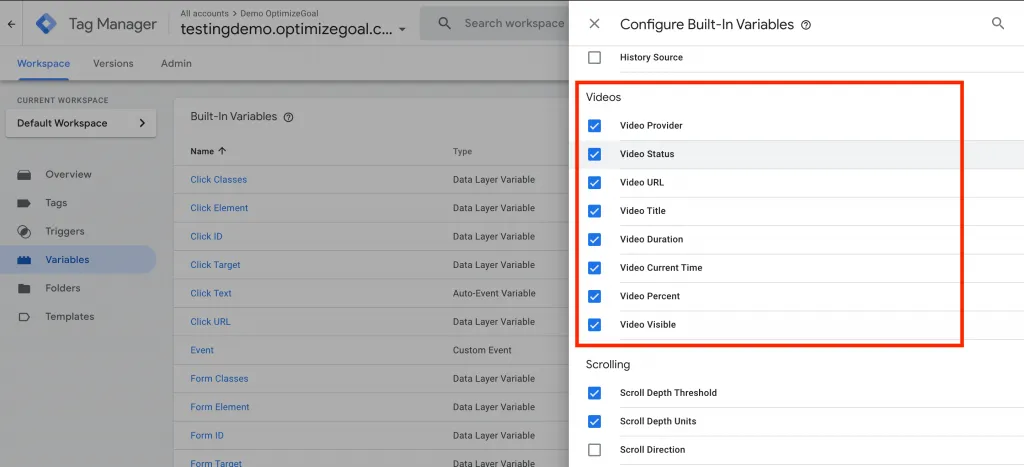
Go to Variables > Built-In Variables > Configure > Enable all the Videos Features.
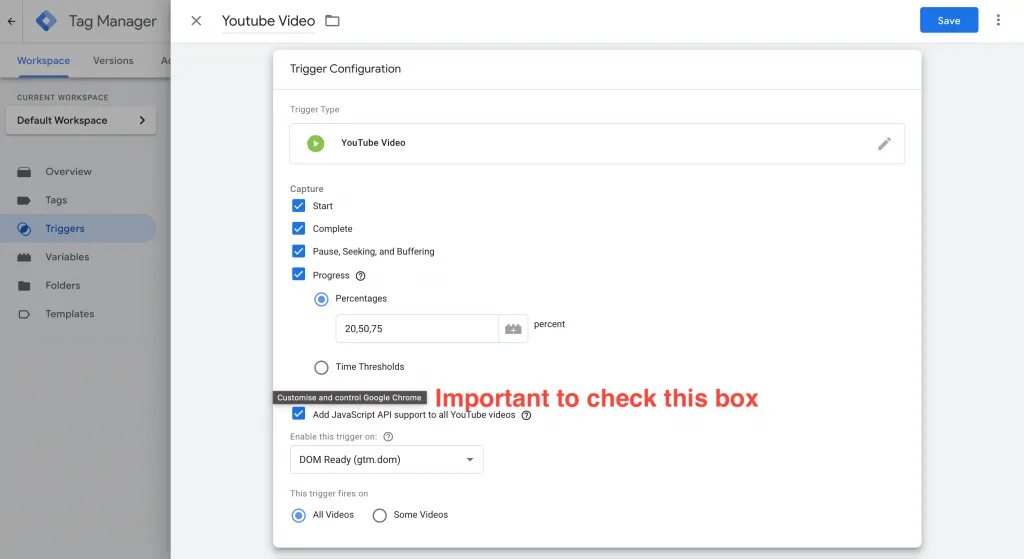
In Triggers, you have to create a Youtube video triggers. In capture I am capturing video start, complete, pause, seeking, Buffering and % completion of the video.
Add JavaScript API support to all Youtube videos is an Advanced setting, you have to enable this option to start tracking. If you haven’t checked this option youtube tracking will not happen.
Now Save the trigger and you have completed Step 2.
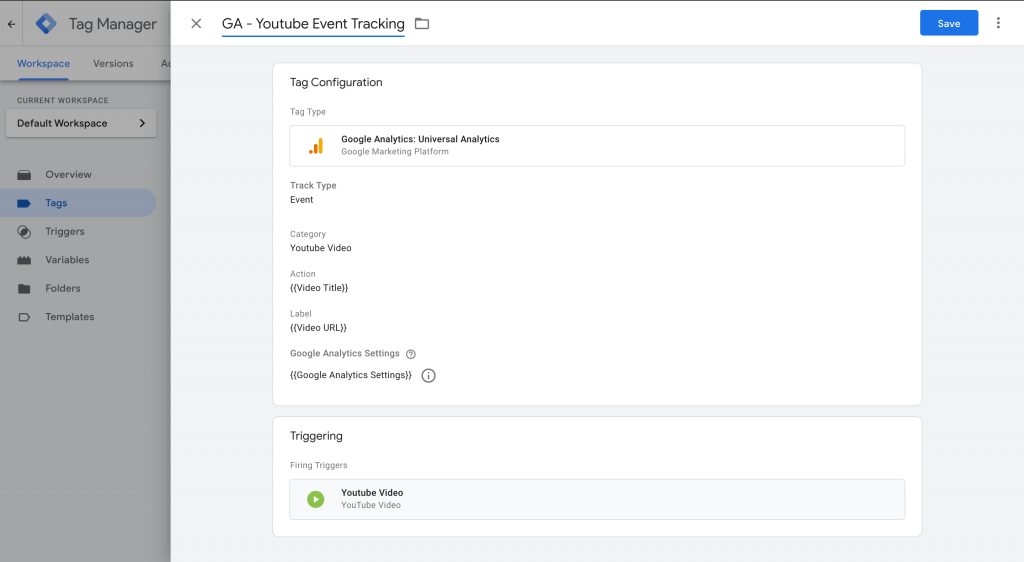
After you have made a trigger next step is to pass data to Google Analytics from GTM. For this go to Tags > New Tag > Universal Analytics tag > select “Event” as the Track Type.
Actions and Label you can pass according to your need and requirement. I am only passing Video Title and Video Url. For example, you want to pass % of video complete with the title then in Label you have to add something like this: {{Video Percent}} % – Completed {{Video Title}}
Once you have complete all the 3 steps above you can open preview mode in Google Tag Manager.
Navigate to the page where you have embedded the YouTube video.
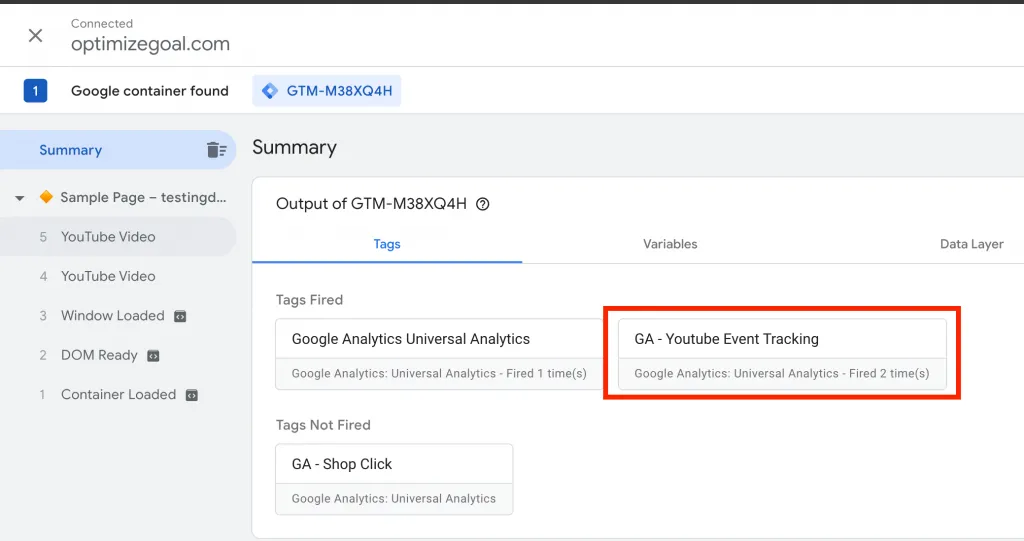
Once you start playing the video you will see the Tags you have created has been triggered in Google Tag Manager (aka GTM)
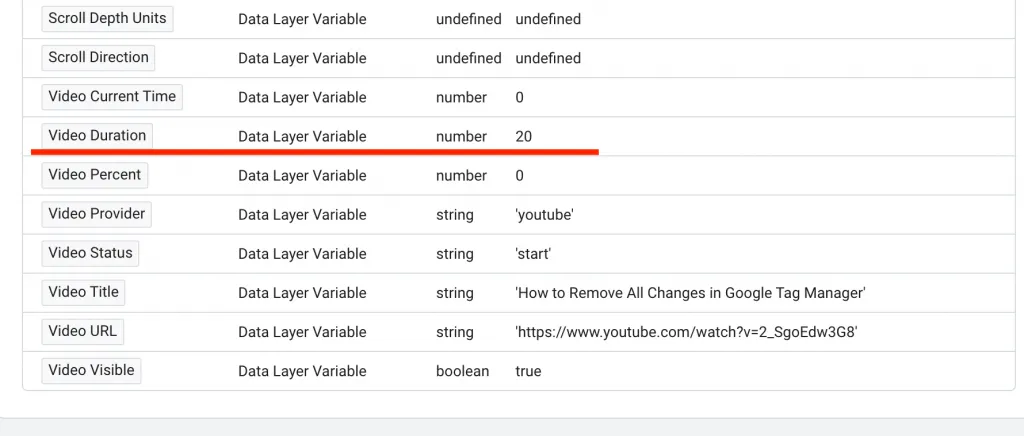
When you check the variable tab then you can see the all the build-in variable you can see and data is populating as we are playing the video.
If everything works fine then you can see data in Google Analytics in Real-Time.
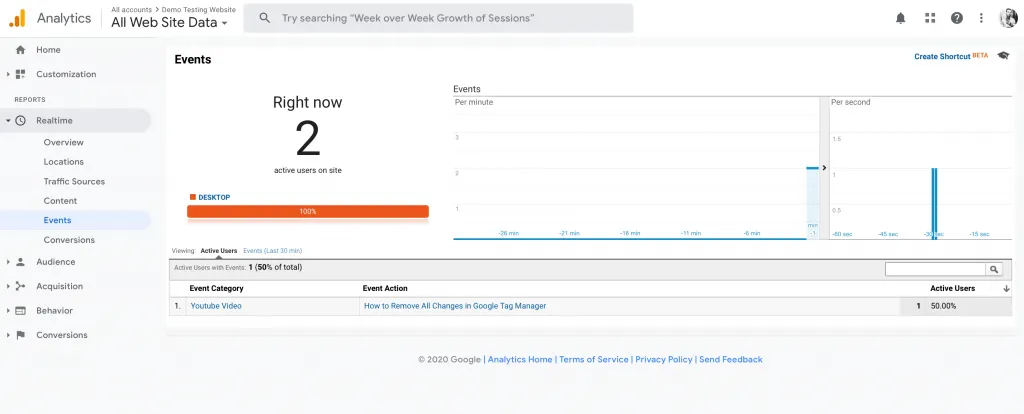
This data is important as you can measure the impact of videos per page and you can make a decision for future videos.
That’s it! you can successfully Implement Youtube Video Tracking via Google Tag Manager.
Google Tag Manager has provided inbuilt YouTube video tracking which makes out work easier to track the performance of how things are working. This will only work if you are using Youtube Hosted video.
If you are using non-youtube video then you have to implement custom coding. I hope we will see support for other video services in Google Tag Manager soon.
I fix the tracking, run the ads and plug the funnel leaks for $700 a month — so guides like this one become my job, not yours.
Google has released a new feature "Bulk Actions" in Google Tag Manager. This feature has made a lot of things easier in Google Tag Manager for developers and
Read more →
Before you start implementing cross-domain Google Ads conversion there are few things you need:
Read more →
Scroll Depth Tracking is commonly used nowadays. Business owners want to know about the user who is coming to the website, how he/she is interacting with the
Read more →