Cross-Domain Google Ads Conversion Via GTM Using Conversion Linker
ASAditya Singh·
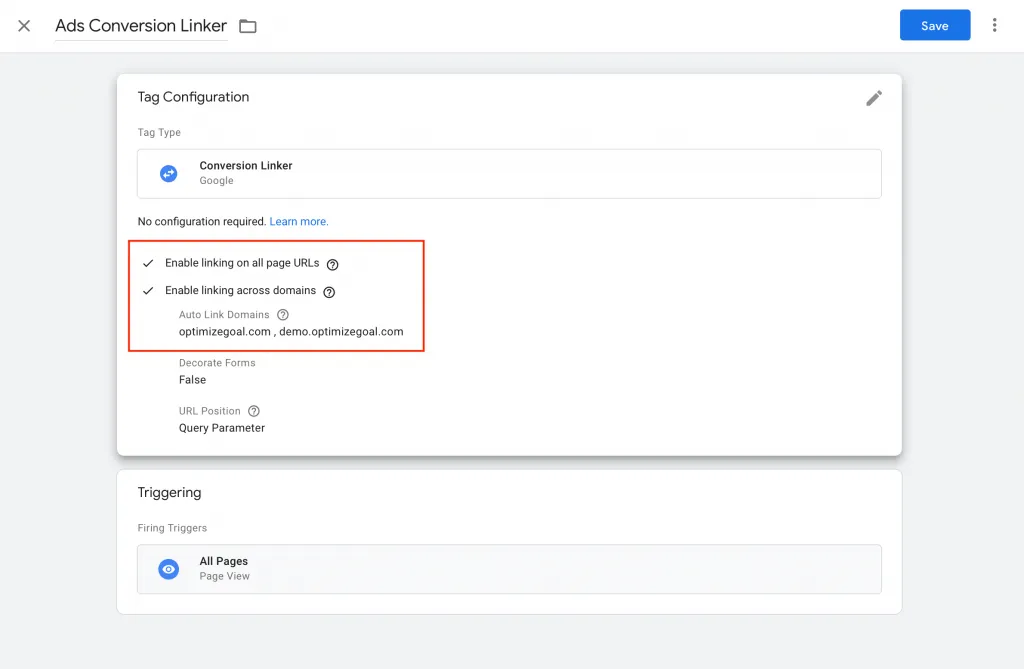
Cross-Domain tracking is easy to set up via Google Tag Manager for Google Ads Conversion Tracking. It is important to set up the conversion in Google Ads to track the performance of your Campaign.
Cross-Domain happens when users land to DOMAIN A and final conversion happen in DOMAIN B. Lets take an example, you visit a website and then you decided to fill a form when you hit the submit form it will take you to the thank you page and that page is another domain.
How to Track Cross-Domain Google Ads Conversions
Before you start implementing cross-domain Google Ads conversion there are few things you need:
You should have both the domain access so that you can set up the trigger and tag.
Looking for a comprehensive Google Ads checklist to help you optimize your campaigns and increase conversions? Look no further! Our Google Ads checklist covers everything from keyword research and ad copywriting to targeting and budget management. Follow our step-by-step guide to ensure your Google Ads campaigns are set up for success and driving maximum results. Don't miss out on valuable leads and sales – start using our Google Ads checklist today!"
If you are new and don't know how to connect your merchant centre with your Google Ads Account, don't worry we will cover everything in this post. It will