
Implement Youtube Video Tracking Via Google Tag Manager
In this, we will be covering how to implement youtube video tracking via Google tag manager using the build-in Variable.
Read more →
Book a free audit call and I will tell you which fix moves your numbers first.
Book a free auditIn Shopify Basic Plan you can’t use Google Tag Manager in your site they Shopify has not included that feature in the Basic Plan.
You might be thinking how to Implement Google Tag Manager.
There is a way around through which you can install Google Tag Manager in Basic Shopify Version direct in through the Admin Panel without editing the theme and you don’t have to hire a developer for that.
Step 1: If you have already installed the Google Analytics in Basic Shopify then you can move to step 2.
First, you have to copy the tracking ID from Google Analytics and paste it in the Shopify Store. Open Shopify > Sales Channels >Online Store > Preferences
There is a section for Google Analytics and you have to paste Google Analytics Tracking ID.
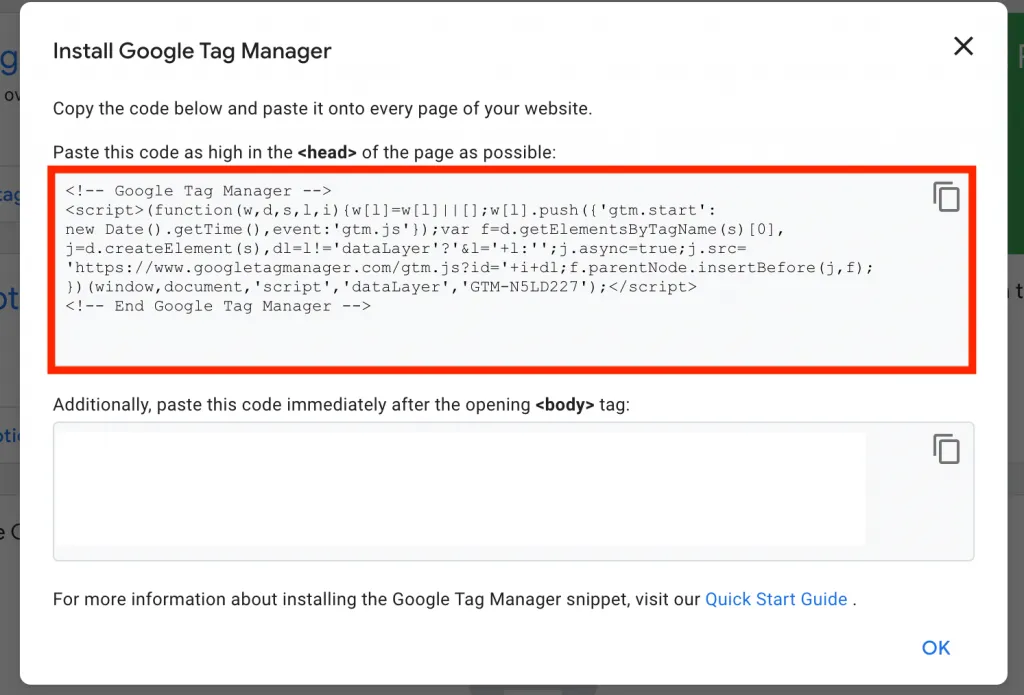
Step 2: Open The Google Tag Manager and Get the Installation Code.
Copy it and paste that code in Shopify Account > Sales Channels > Online Store > Preferences > Google Analytics > Additional Google Analytics Javascript
You have successful Intregrated Google Tag Manager to Basic Shopify Plan.
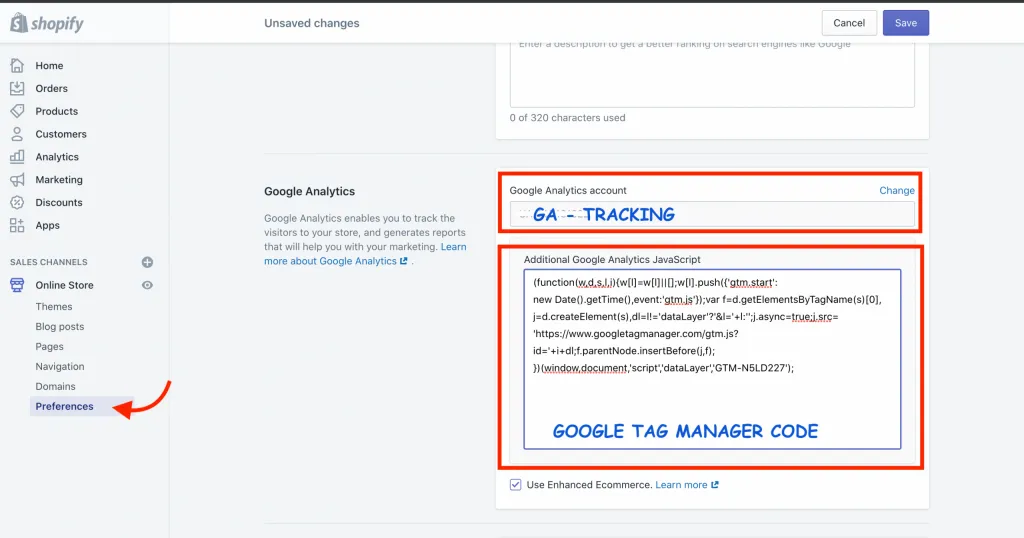
In Google Tag Manager You don’t have to set up Google Analytics Tracking as it is already set up in Shopify.
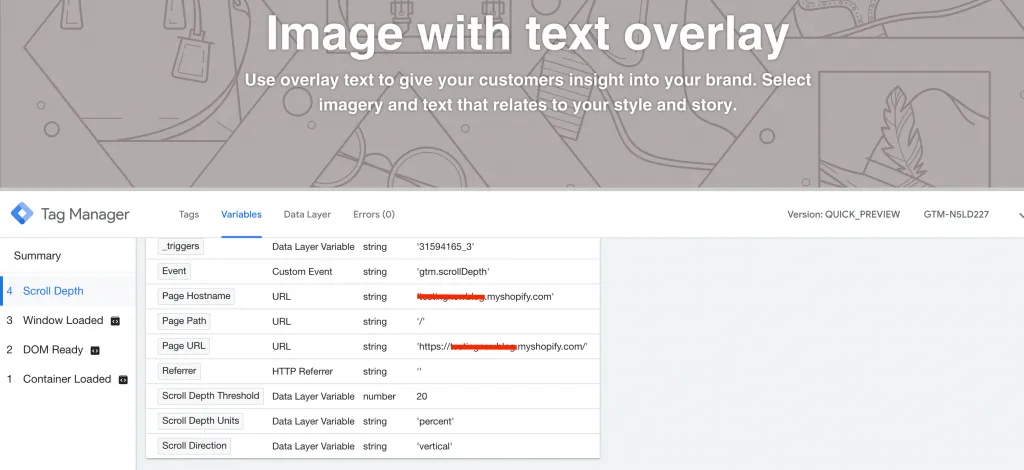
I have implemented Depth Scrolling Tracking in Shopify. Here is the screenshot of Google Tag Manager Debug.
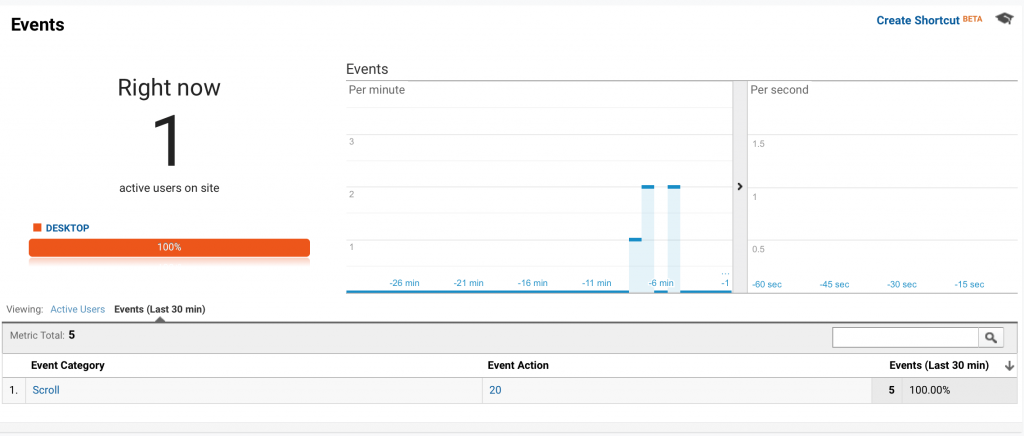
Even you can see in the Real-Time track in Google Analytics under the Event Section.
Now you can implement Every Tag Directly in Google Tag Manager without any hassle.
I fix the tracking, run the ads and plug the funnel leaks for $700 a month — so guides like this one become my job, not yours.
In this, we will be covering how to implement youtube video tracking via Google tag manager using the build-in Variable.
Read more →
Google has released a new feature "Bulk Actions" in Google Tag Manager. This feature has made a lot of things easier in Google Tag Manager for developers and
Read more →
Before you start implementing cross-domain Google Ads conversion there are few things you need:
Read more →