
How To View Full Page URLs In GA4
Discover how to view full page URLs in GA4 and gain deeper insights into your website's performance. Uncover actionable strategies to boost user experience and conversions.
Read more →
Book a free audit call and we will tell you which lever moves your numbers first.
Book a free auditHave you ever thought why annotations are important in Google Analytics?
This is a small feature in Google Analytics but it is an important feature, as it helps you to identify the impact on the business.
Whether it is from Marketing or from the real world. All the changes will impact business and to track that we make annotations in Google Analytics.
For example: In the past, you have made a change in Google Ads and that is giving a huge profit to a business. After a year you want to see what changes you have made on that day or you want to know why there is a drastic change.
Google Analytics Annotations will try to give the answer of “why” and it will be easy for you to track the old changes you have made.
There are two ways to create annotations in Google Analytics:
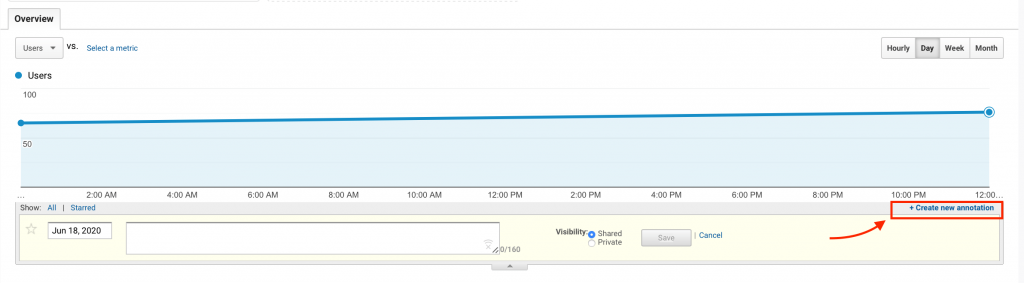
Go to Admin > View > Personal Tools & Assets > Annotations
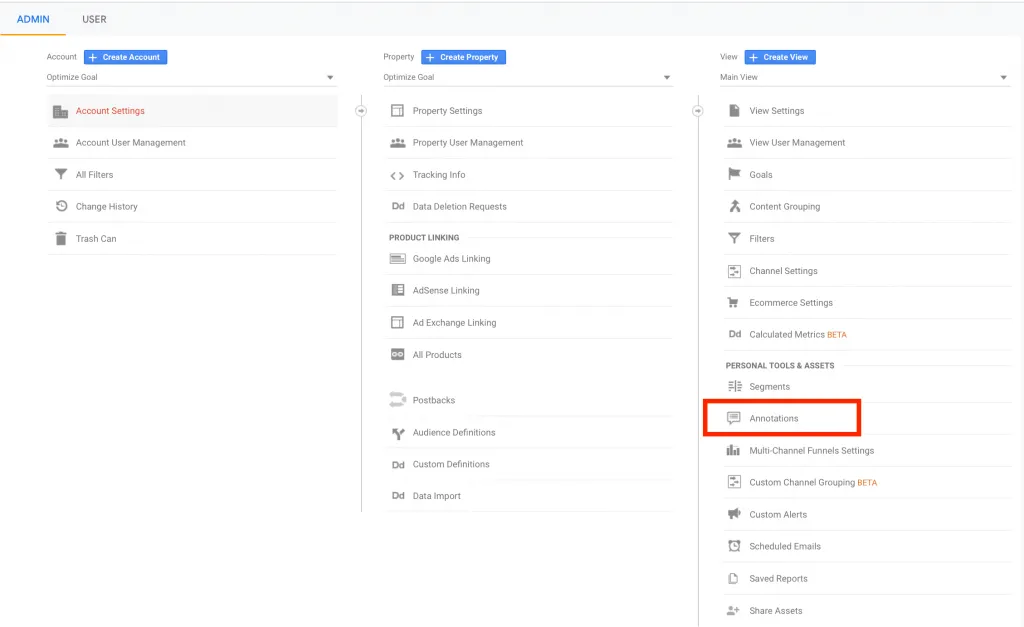
NOTE: I have made multiple views, select the view in which you want to make annotations.
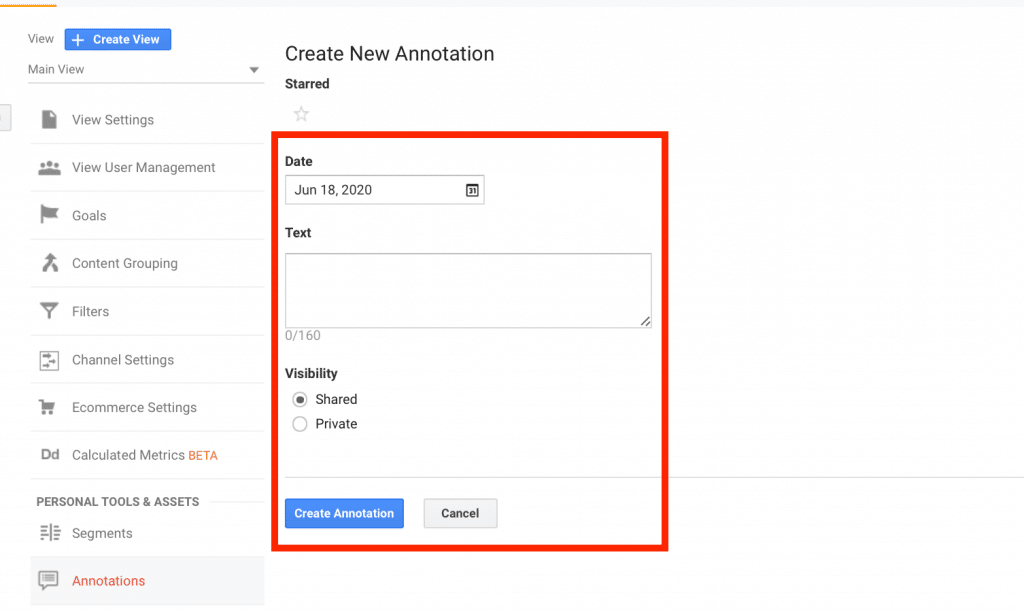
Then Click on the “New Annotations” and enter the text you want to enter.
When you see the Overview report you will see the annotation in the graph. This annotation will help you to identify the changes or impacts of the real-world made on the business.
We set up tracking, run the ads and fix the funnel for D2C brands — so guides like this one become someone else's job.
Discover how to view full page URLs in GA4 and gain deeper insights into your website's performance. Uncover actionable strategies to boost user experience and conversions.
Read more →
To overcome this problem we have to exclude the IP address so that Google Analytics 4 don't track the audience from these IP address. Read More: How to
Read more →
Google Analytics automatically reflects where the traffic is coming from and displays the domain names of these sites as the referral-traffic in your report.
Read more →